- Create the group email address, choose the members, etc. in groups.google.com
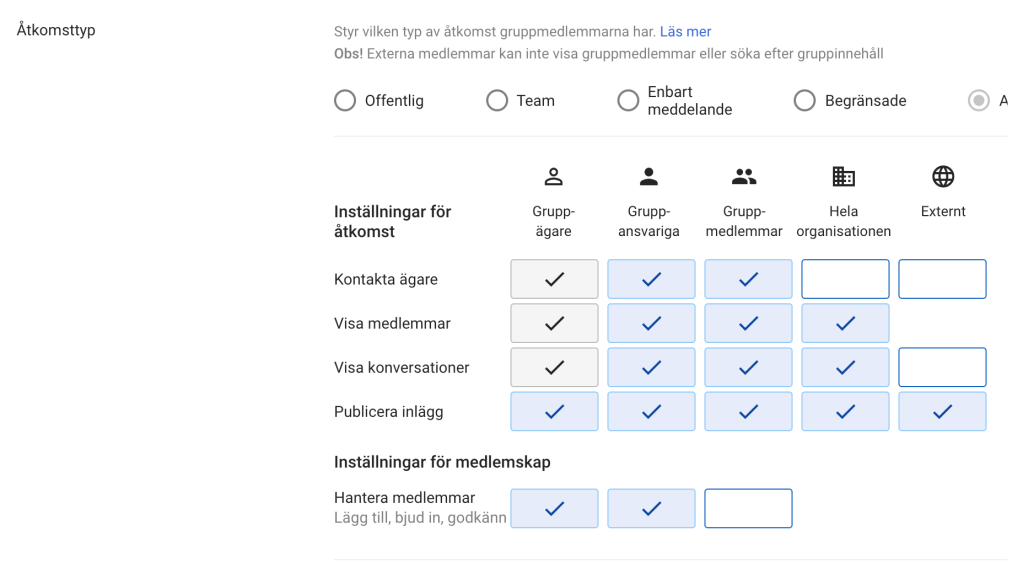
- Navigate to admin.google.com, then Groups and hover the mouse over the email address that you’ve created. Choose settings/preferences. Select “External” for the value of “who can publish entries or posts”.
Like this:
Support link: https://support.google.com/a/answer/167097
 Rod Tech Blog